
Start here
What is FPV Map?
The product in one page: what it does, what it does not do, and who it is for.
FPV Map is an Android simulator for the DJI Avata 2 and DJI FPV Remote Controller 3. It reads the real controller over USB and flies a virtual drone over Google's photorealistic Maps 3D view of the real world.
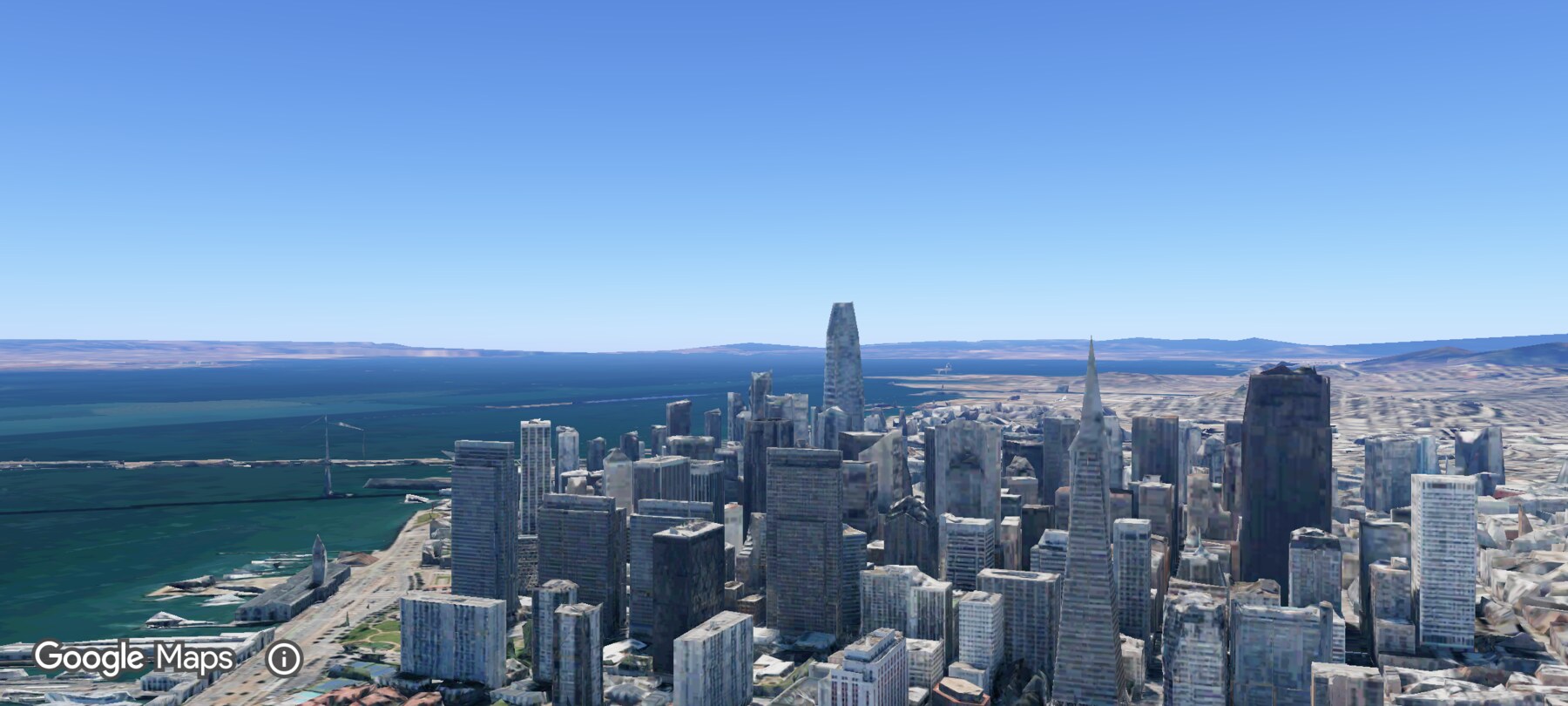
The map is the home screen. The app opens at a real place — by default your current location — with the drone already in a stable lookout at 200 m. Plug in an RC 3 and the sticks control the virtual aircraft; without a controller, the on-screen sticks do the same job. An Avata-style goggle HUD sits over the live 3D scene.
What FPV Map can do today
- Read a DJI RC 3 over USB-C/OTG at roughly 198 Hz, including sticks, gimbal dial and the front-panel buttons.
- Fly with Normal, Sport or Manual (acro) flight behaviour, with Normal selected by default.
- Anchor the world to your current location or a searched place, then fly over Google's 3D terrain and photoreal buildings where Google has meshes.
- Show an Avata 2-style goggle HUD with speed, altitude, distance, mode, compass, link and battery indicators.
- Hold a hover, return home, tilt the gimbal and run a scripted cinematic fly-through to the point under the reticle.
- Create named flight plans and shots, capture start and end poses, add annotations, and export or import the plan as JSON.
- Optionally sign in to sync whole plans and create read-only share links. The app works signed out and offline.
- Capture a map photo, record the screen as video, and hide the HUD for a clean capture view.
What it does not do
- It does not control a real aircraft. The USB path is read-only toward the controller; the app never sends flight commands and never flashes firmware.
- It is not an official DJI product and does not claim to reproduce the Avata 2's flight model exactly.
- It is not a separate hand-written 3D "Fly" world. The earlier software-rendered Fly tab was removed; Google Maps 3D is the only world.
- It does not import or export Google Earth Studio projects, and it is not an Earth Studio integration.
- It does not let you set precise waypoint routes or keyframe camera moves. Shots record poses and instructions, not an animation timeline.
- It does not simulate obstacles, wind fields, GPS failure, battery depletion, real camera optics or airspace rules.
- It does not certify you to fly a real drone.
Virtual flight is not real flight
Who it is for
- Avata 2 and RC 3 owners who want stick time without batteries, weather or risk.
- Vloggers and creators who want to find an establishing shot or B-roll idea before a shoot.
- Event and production teams who need to explain an approach, reveal or pull-away to a pilot.
- New drone students who want to learn the four control axes and build coordination.
- Curious map users who want to explore a familiar place with a flying camera.
- Earth Studio users looking for a more direct, hands-on way to discover a camera move.
Two kinds of capture, two kinds of saving
The shutter button and the RC 3 shutter capture a map photo or start a screen recording. Separately, the plan tools save planning data — named plans, shot poses, annotations and JSON exports. A photo or video is a media file; a shot is a record of where the camera was and what the movement should do.
Where to go next
Current build
This documentation was written against FPV Map 1.0.4 on Android 14. The only phone model used for the screenshots is an OPPO CPH2457. Other devices may behave differently, especially around USB permissions and 3D rendering.
About the screenshots
Every screenshot and demo in this documentation was captured in FPV Map over the Transamerica Pyramid and the Financial District, San Francisco.
FPV Map is a simulator. It never sends commands to an aircraft, and virtual rehearsal is not a substitute for legal checks, a site survey or safe piloting.
Found a mistake or something that no longer matches the app? Report it.