
Build a shot from an idea
Write a one-page shot brief
A template your pilot, director or editor can actually use.
A shot brief turns a virtual rehearsal into something a pilot, director or editor can use. Keep it to one page.
The template
Shot name: Transamerica Pyramid reveal
Location: Transamerica Pyramid and the Financial District, San Francisco, USA.
Story beat: Introduce the financial centre as a cluster of towers with one unmistakable spire.
Start frame: Wide from the north, pyramid hidden behind a nearer tower, horizon in the lower third.
Movement: Slow lateral move right; the pyramid enters the frame in the final third. Hold the end frame.
End frame: Pyramid centred-right, Salesforce Tower visible left, bay in the background.
Pace: Slow and deliberate; roughly 8–10 seconds.
Feeling: Calm, confident, slightly monumental.
Risks / permissions: Airspace and local rules to verify; people and street activity; wind; visibility; obstacle clearance; real camera field of view.
On-site adjustments: Re-scout the foreground; adjust altitude for the real skyline; confirm the sun direction.
What each field is for
- Story beat — why the shot exists.
- Start and end frames — what the editor needs to cut.
- Movement and pace — what the pilot must perform.
- Risks and permissions — what the virtual rehearsal cannot validate.
- On-site adjustments — where reality is expected to differ.
Use the app to fill it in
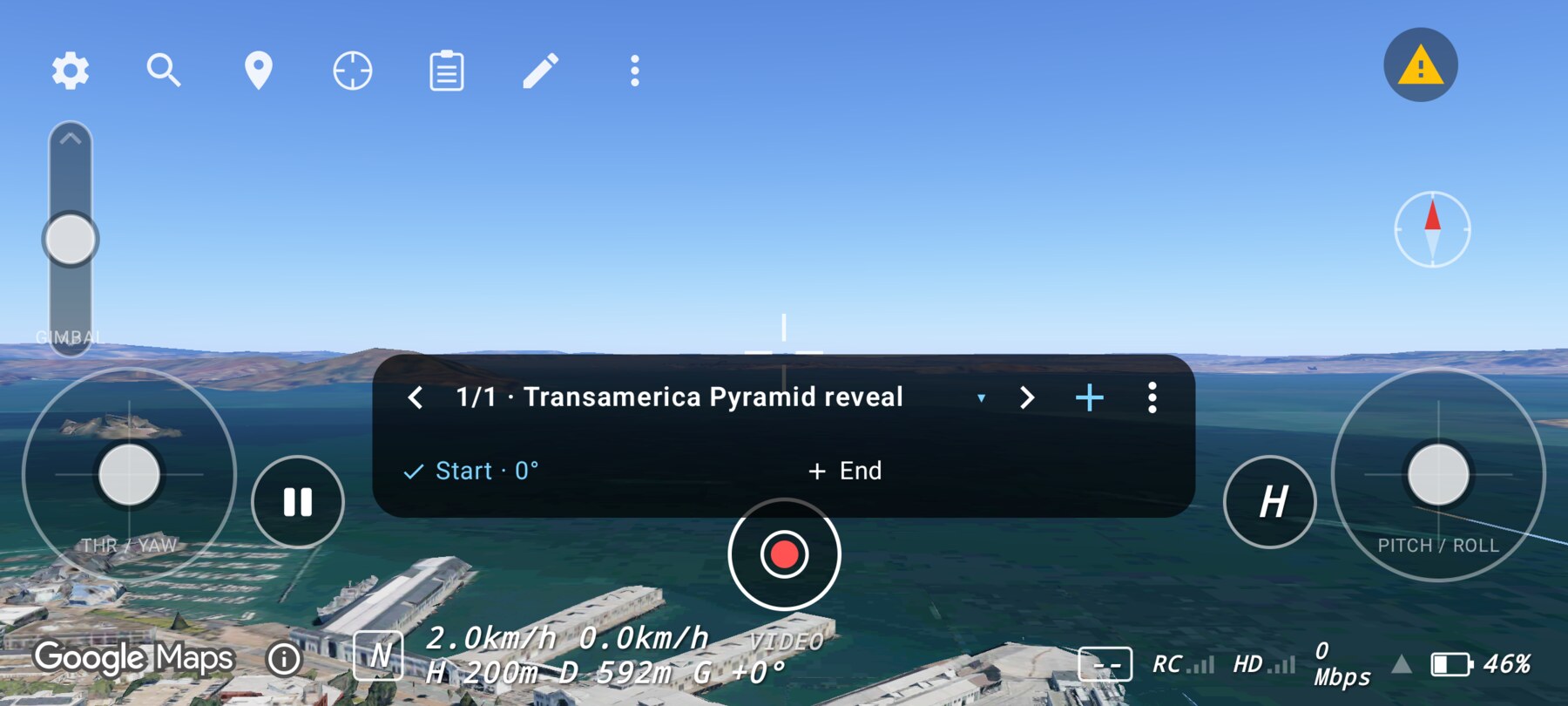
The shot bar captures the start and end poses. The shot editor stores the name, type and movement instructions. Use the poses as the source for the brief, and add the real-world checks that the simulator cannot provide.
Why this works
A brief separates creative intent from execution. The director can approve the idea, the pilot can plan the flight, and the editor knows what the shot is supposed to deliver. If the shoot changes on site, the brief gives everyone a shared baseline to adjust from.
Common mistakes
- Describing the stick input instead of the frame. The pilot needs the visual result, not your thumb path.
- Omitting the end frame. The editor cannot plan a cut without it.
- Treating the virtual shot as permission. Airspace, people and site rules still apply.
Try it yourself
Write a one-page brief for the shot you built in the previous guide. Give it to someone who did not watch you fly. Success is that they can describe the shot back to you accurately.
Related guides
About the screenshots
Every screenshot and demo in this documentation was captured in FPV Map over the Transamerica Pyramid and the Financial District, San Francisco.
FPV Map is a simulator. It never sends commands to an aircraft, and virtual rehearsal is not a substitute for legal checks, a site survey or safe piloting.
Found a mistake or something that no longer matches the app? Report it.