
Learn cinematic flying
The flyover
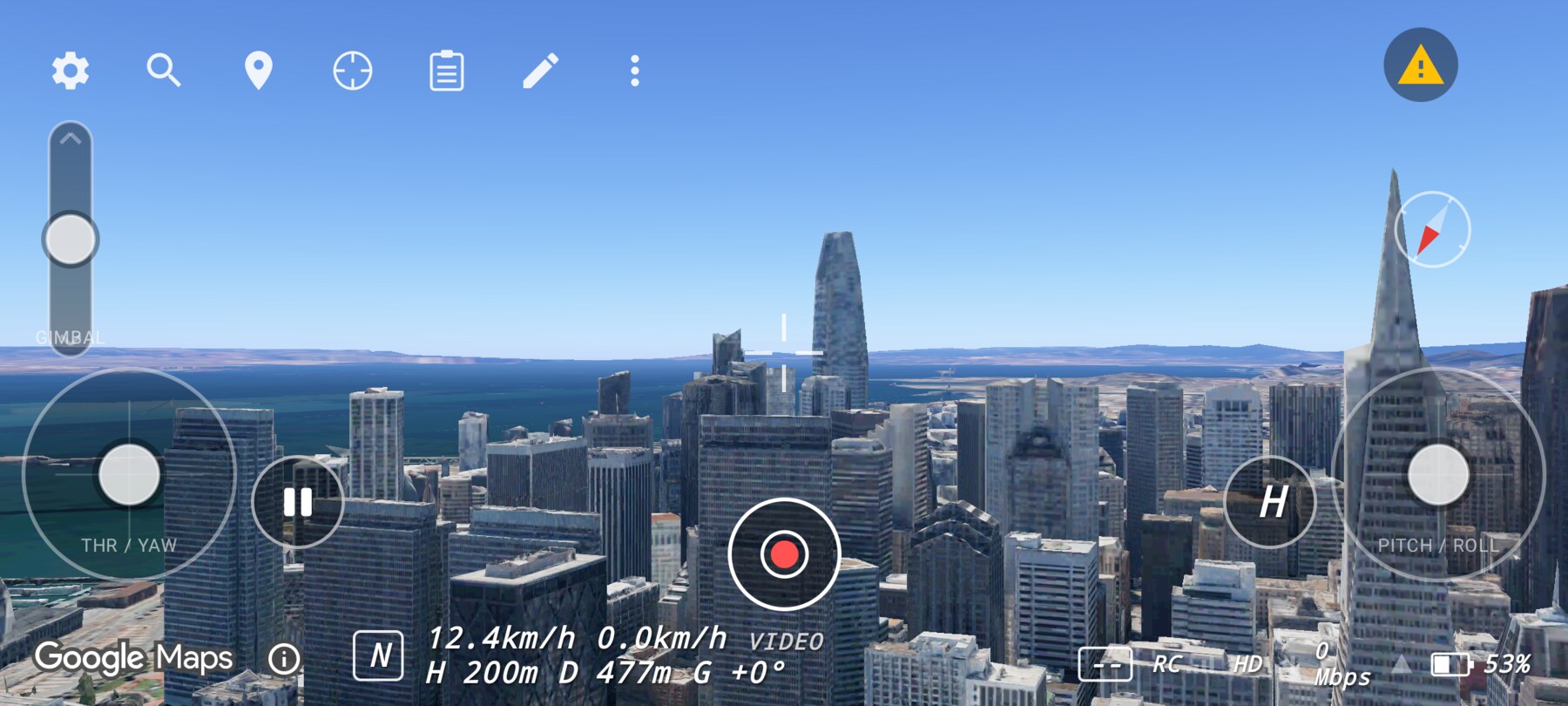
Pass over or alongside the Transamerica Pyramid.
A flyover passes over or alongside a landmark. It is the clearest way to show the relationship between a subject and the city around it.
Two versions
- Over the top: cross above the pyramid, with the skyline filling the background.
- Alongside: track past the tower at a similar height, keeping it in the side of the frame.
Step by step
- Choose the pass direction. Over the top reads as geography; alongside reads as scale and speed.
- Start far enough back to see the approach.
- Set the gimbal slightly down so the ground and the subject share the frame.
- Fly a steady forward pass; keep yaw fixed unless you are deliberately turning.
- Exit the frame cleanly rather than stopping on top of the subject.
Why this works
A flyover uses motion parallax: near objects move faster than distant ones. That difference is what makes the city feel three-dimensional. A steady pass preserves the effect; a wobbling path destroys it.
Common mistakes
- Stopping above the subject. The shot loses its exit and the viewer loses the sense of travel.
- Changing altitude mid-pass. Keep height constant unless the climb is the point.
- Looking down the whole time. A little horizon keeps the pass readable.
Try it yourself
Fly one pass over the pyramid and one alongside it. Keep the same start and end distance. Success is a pass where the subject enters and exits the frame deliberately.
Related guides
About the screenshots
Every screenshot and demo in this documentation was captured in FPV Map over the Transamerica Pyramid and the Financial District, San Francisco.
FPV Map is a simulator. It never sends commands to an aircraft, and virtual rehearsal is not a substitute for legal checks, a site survey or safe piloting.
Found a mistake or something that no longer matches the app? Report it.