
Understand the app
Normal, Sport and Manual
How the three modes differ, and which one to start in.
FPV Map has three flight modes. Normal is the default and the right place to start; Sport is the same self-levelling behaviour with quicker responses; Manual is genuine acro and should be treated as an advanced mode.
You'll need
No controller is required. The mode badge works with virtual sticks too.
What you'll learn
- Tell Normal, Sport and Manual apart from the HUD badge.
- Switch Normal ↔ Sport from the map.
- Know what changes in Manual and how to recover.
Normal
- Self-levelling: releasing the right stick returns the drone to level.
- Stick position commands a tilt angle, not a rotation rate.
- Altitude hold: pitching and rolling should not change height. Only the left stick's vertical axis climbs or descends.
- Centre throttle is hover, because both sticks self-centre.
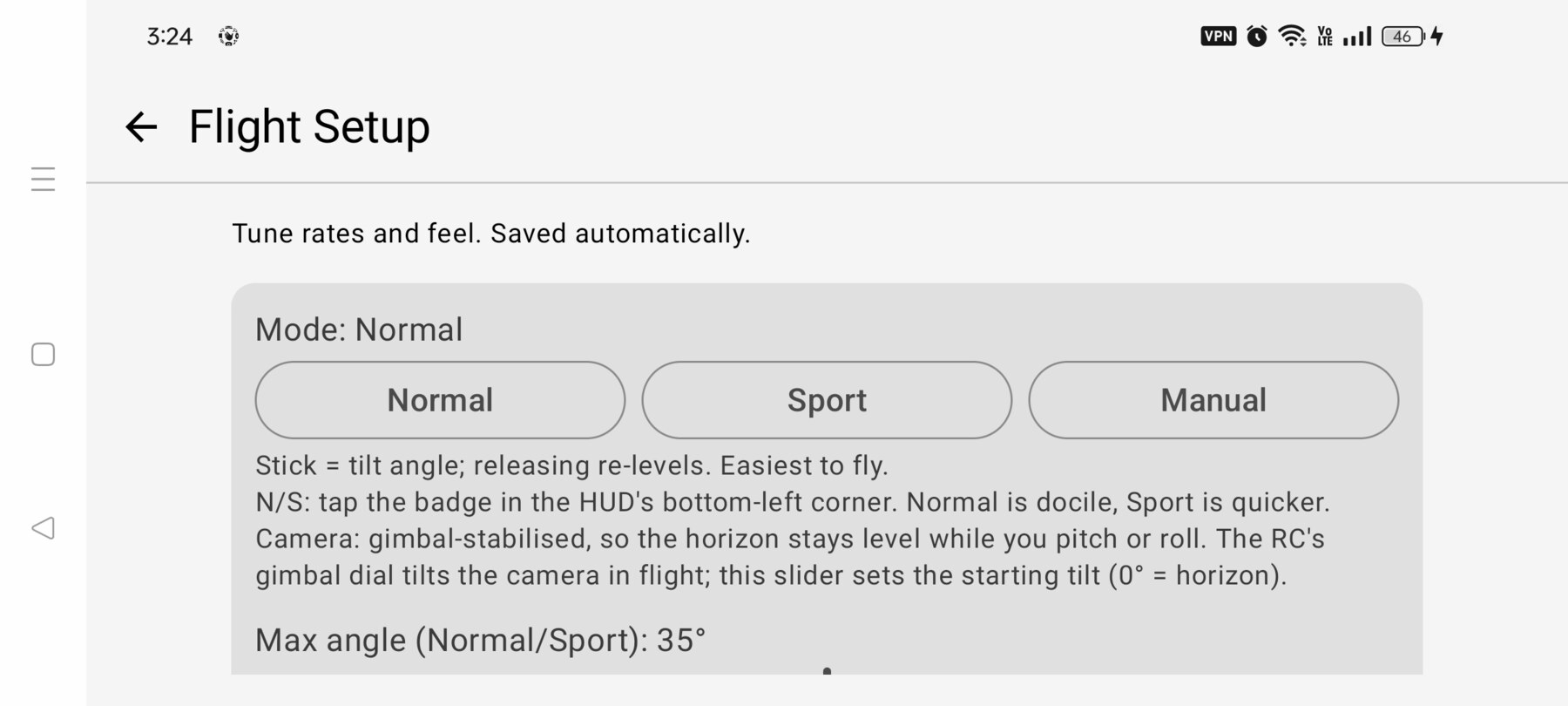
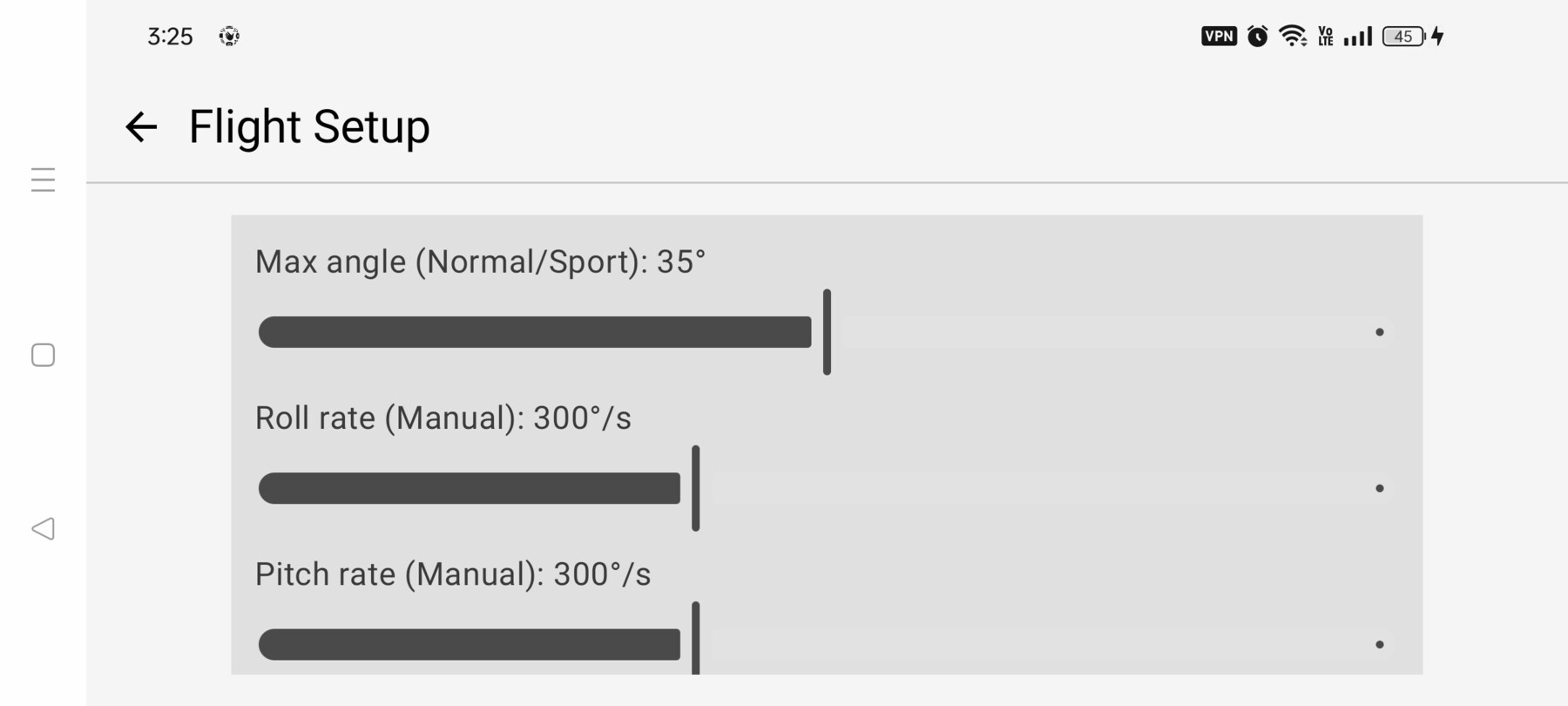
- Docile rates and a smaller maximum tilt than Sport.
Sport
Sport keeps the same self-levelling, altitude-hold behaviour but allows quicker rotation and a larger maximum tilt. It is the mode to use when you need to cover ground or make a more energetic move.
Manual (M / Acro)
Manual is not a faster Normal. Pitch, roll and yaw become body-rate commands, the attitude is not clamped or auto-levelled, and the drone can roll through inverted. Throttle is raw thrust: centre is mid-thrust, not hover, and there is no altitude hold. Gravity, attitude, thrust and momentum decide the path.
Pause and H apply the self-levelling recovery assist so you can get back to a predictable attitude. Manual is selected in Flight Setup or by the physical N/S/M switch on the RC 3.
Start in Normal
How to switch
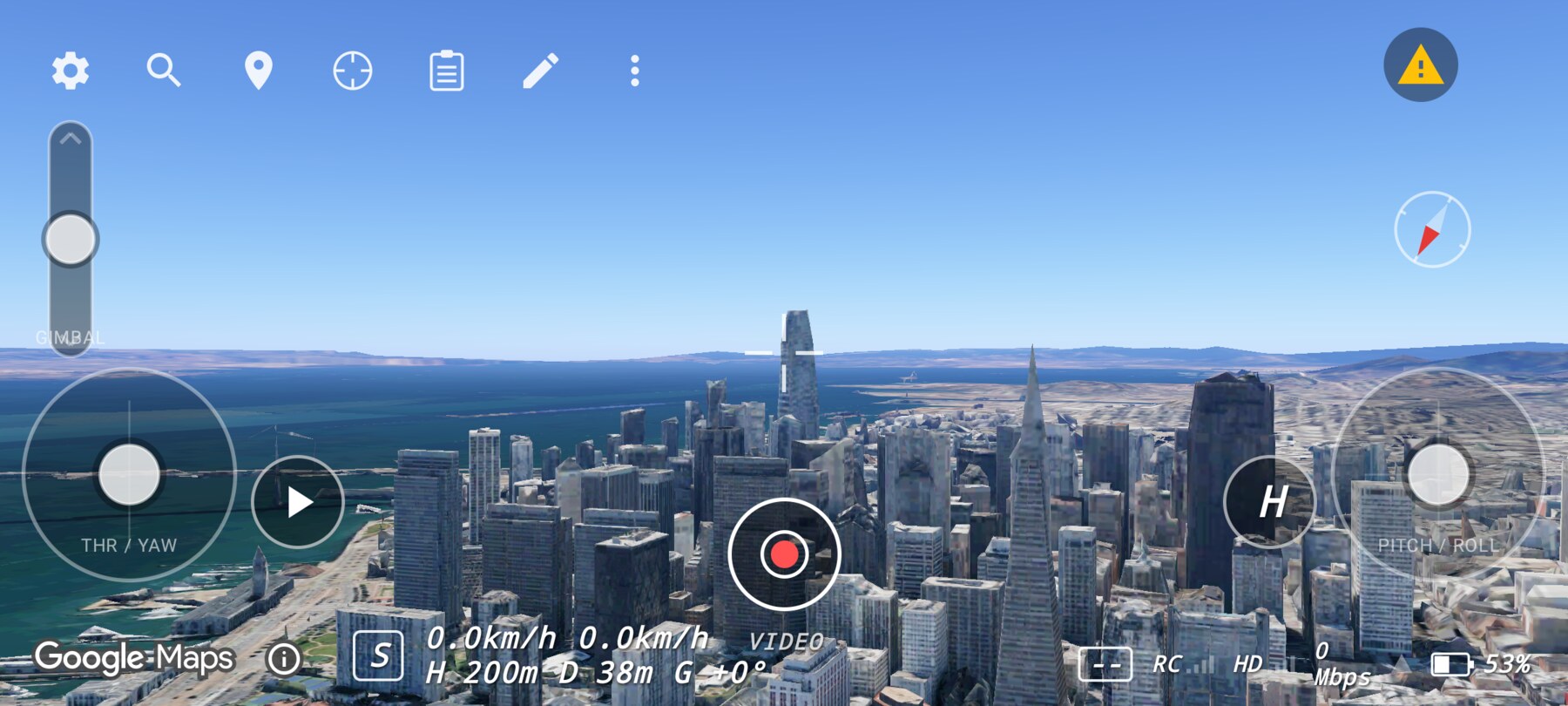
- Normal ↔ Sport — tap the mode badge in the bottom-left corner of the HUD.
- Any mode — open Setup → Flight setup and choose Normal, Sport or Manual.
- With an RC 3 — the physical N/S/M switch selects the mode. Plugging in applies the switch position immediately.
What changes between modes
| Behaviour | Normal | Sport | Manual |
|---|---|---|---|
| Self-levelling | Yes | Yes | No |
| Altitude hold | Yes | Yes | No |
| Throttle centre | Hover | Hover | Mid-thrust |
| Right stick | Tilt angle | Tilt angle | Body rate |
| Inverted flight | No | No | Yes |
| Default | Yes | No | No |
Why this works
A self-levelling mode makes the relationship between stick and result predictable: push forward, move forward; release, stop and level. That lets a beginner concentrate on framing and position. Manual is useful later because continuous rotation and momentum create different camera moves — but it asks the pilot to manage attitude at the same time.
Common mistakes
- Expecting Manual to hover at centre throttle. It will not; centre is mid-thrust.
- Toggling modes mid-move to “fix” a shot. Change mode before the move; the attitude and position are preserved, but the feel changes instantly.
- Assuming Sport changes altitude behaviour. It does not; only the rates and tilt limits change.
Try it yourself
In Normal, fly forward for two seconds and release. Note the stopping distance. Switch to Sport, repeat, and compare. Success is being able to describe the difference in your own words without looking at the badge.
Related guides
About the screenshots
Every screenshot and demo in this documentation was captured in FPV Map over the Transamerica Pyramid and the Financial District, San Francisco.
FPV Map is a simulator. It never sends commands to an aircraft, and virtual rehearsal is not a substitute for legal checks, a site survey or safe piloting.
Found a mistake or something that no longer matches the app? Report it.