
Learn cinematic flying
The orbit
Keep a subject framed while moving around it at a steady radius.
An orbit keeps a subject framed while the camera moves around it. It shows volume and relationship, and it is the move most likely to expose uneven stick control.
You'll need
A clear subject and enough open space around it.
What you'll learn
- Hold a subject in the centre third through a slow arc.
- Keep the radius roughly constant.
- Use the app’s scripted fly-through as a reference for the shape.
Goal
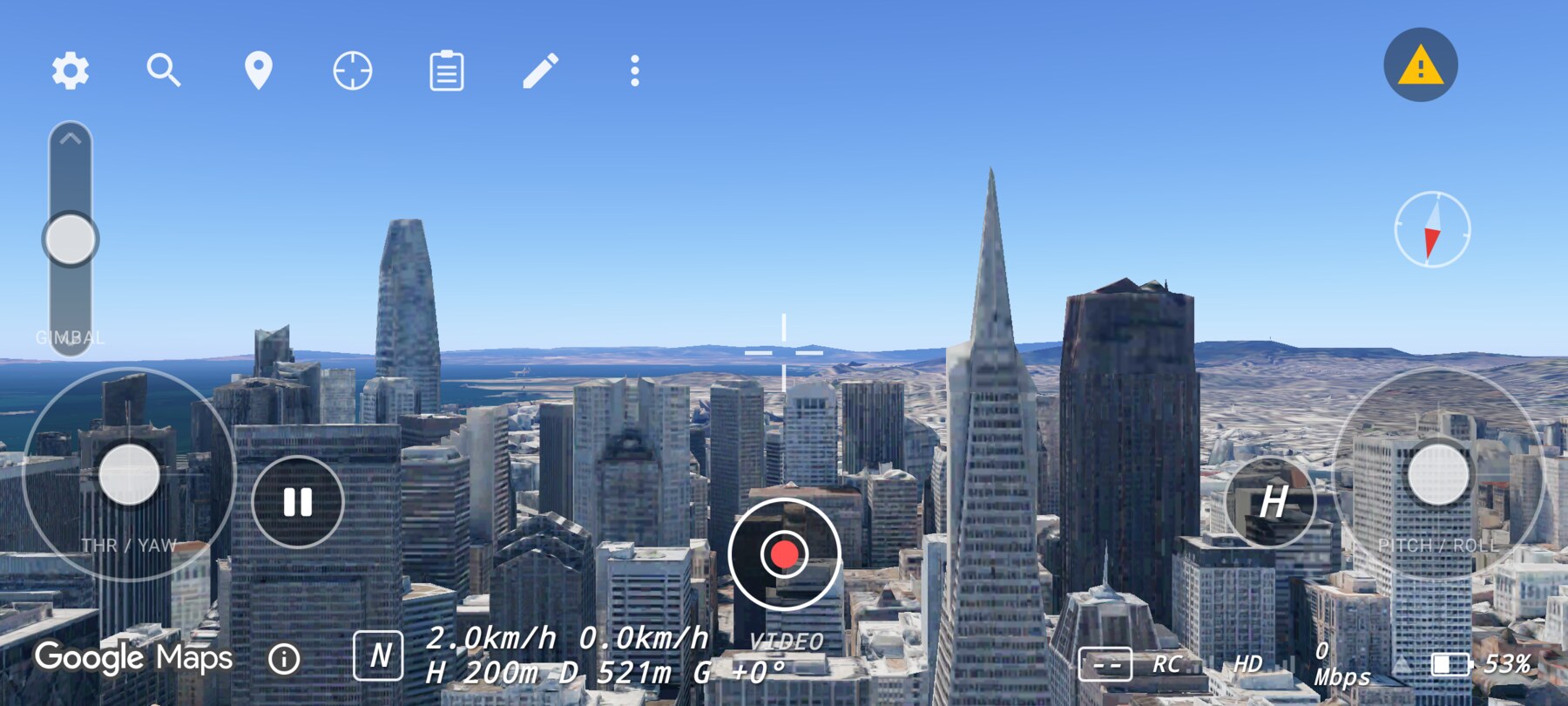
Circle the Transamerica Pyramid at a constant distance, keeping the spire in the same part of the frame.
Manual orbit
- Start at a comfortable distance, with the pyramid centred.
- Add a small amount of yaw.
- Add a tiny amount of pitch or roll to keep the distance from drifting.
- Correct with small inputs, not large ones. If the subject moves off centre, pause and reset rather than fighting it.
- Complete the arc, then release and hold the final frame.
The scripted fly-through
Aim the centre reticle at a ground point near the subject, then tap Fly here. The app runs a scripted spiral-in and orbit around that point. The HUD hides for the run, and the camera eases back to the follow shot at the end.
Use it to see the shape of a good orbit, then try to reproduce the feeling manually. The scripted move is a demonstration, not a keyframe editor.
Radius is the hard part
Why this works
An orbit changes the background while keeping the subject fixed. That contrast reveals the subject's shape and its relationship to the city. A constant radius keeps the subject's size stable, which makes the motion feel controlled rather than accidental.
Common mistakes
- Speeding up through the turn. The subject slides out of frame; keep the yaw input constant.
- Correcting with pitch only. Use a small combination of yaw and lateral movement.
- Orbiting too close. A tall building needs distance to stay in frame.
Try it yourself
Fly a 180° orbit in twenty seconds. Success is a subject that stays the same size and inside the centre third for the whole arc.
Related guides
About the screenshots
Every screenshot and demo in this documentation was captured in FPV Map over the Transamerica Pyramid and the Financial District, San Francisco.
FPV Map is a simulator. It never sends commands to an aircraft, and virtual rehearsal is not a substitute for legal checks, a site survey or safe piloting.
Found a mistake or something that no longer matches the app? Report it.